> ## Documentation Index
> Fetch the complete documentation index at: https://docs.dialai.ca/llms.txt
> Use this file to discover all available pages before exploring further.
# AI Email Agent
> How the AI agent answers inbound email, handles attachments, and hands off to a human CSR
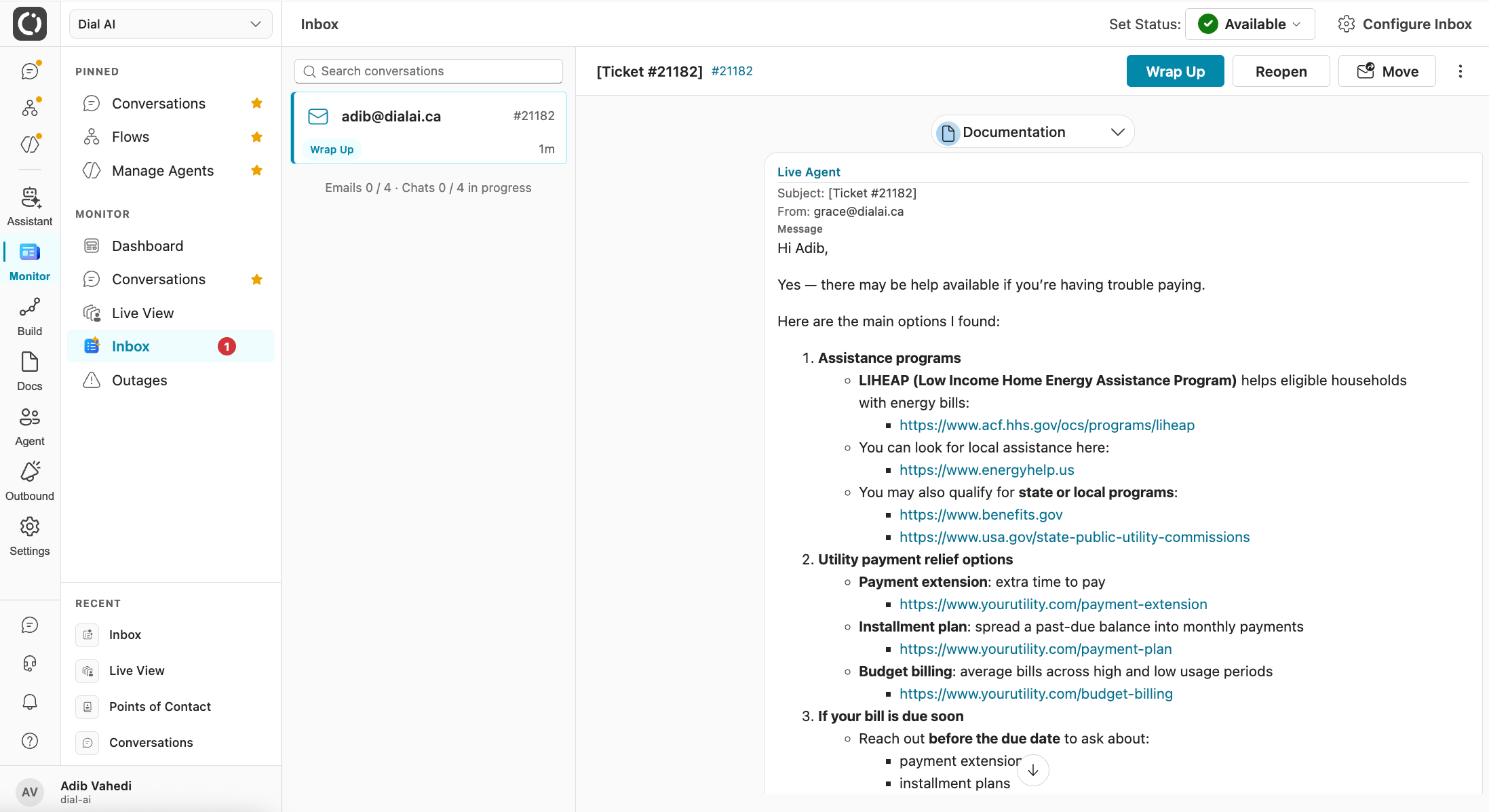
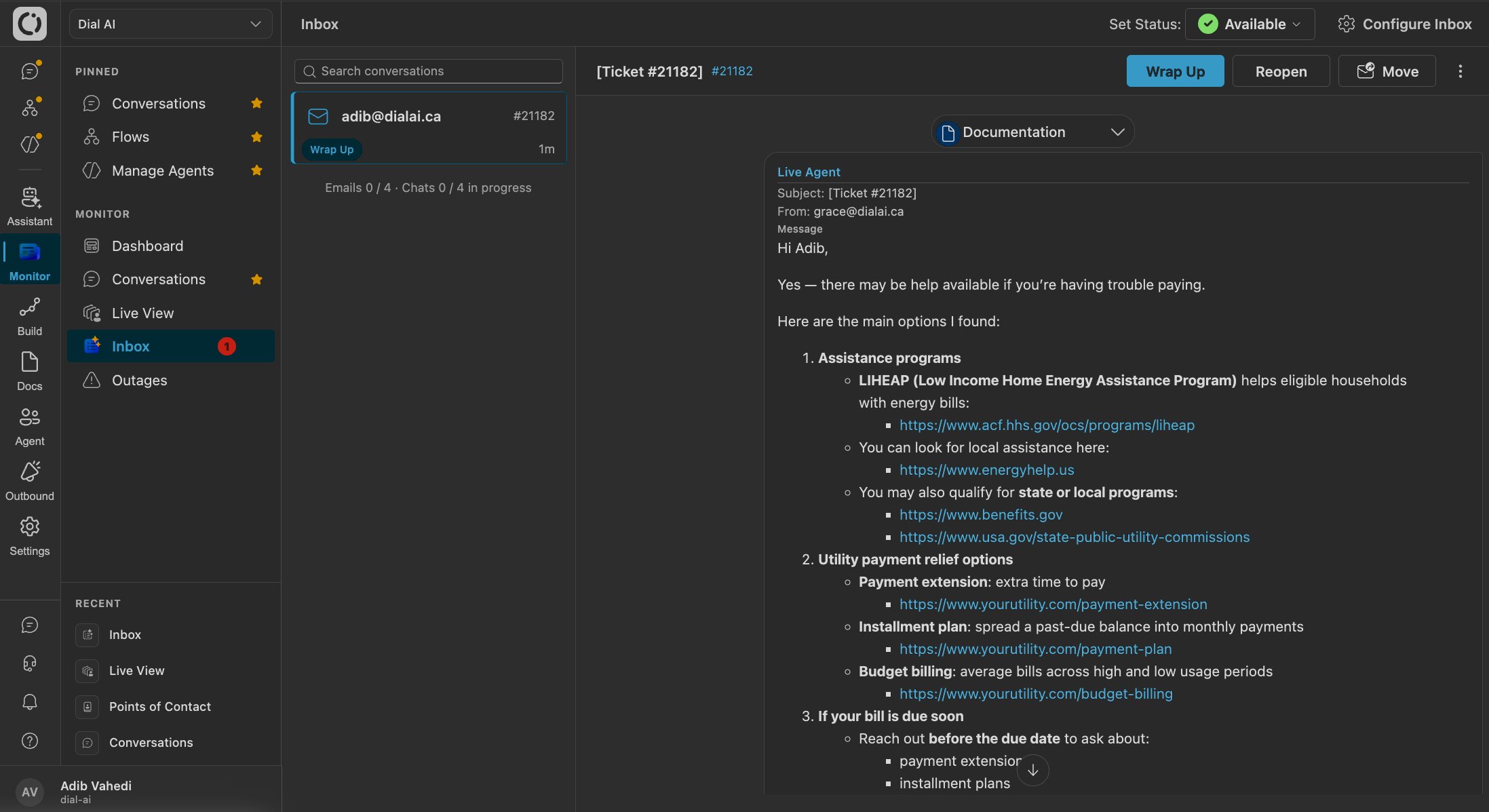 The **AI email agent** runs an inbox end to end. It reads inbound mail, replies in a natural thread grounded in your knowledge and flows, handles attachments, and hands off to a human CSR when a conversation needs one. This is the same agent you configure as a [Flow](/flows); this page covers the email-specific behavior.
Email is now a first-class production channel. Set one up on the Email tab of [Points of Contact](/points-of-contact).
## What the email agent does
* **Answers inbound email** in a natural, threaded reply, using your knowledge base and flow logic.
* **Handles attachments both ways**: it reads attachments a customer sends and can send agent-drafted files back.
* **Threads correctly**, keeping a conversation together across replies rather than starting fresh each time.
* **Hands off to a human CSR** cleanly when needed, and picks a conversation back up when a CSR hands it back.
* **Routes edge cases to a person** automatically, so odd mail does not get an odd answer.
## Answering email
Inbound mail is matched to a conversation and answered by the flow you assigned to the email [Point of Contact](/points-of-contact). Replies are threaded, so a customer's follow-up continues the same conversation instead of opening a new one. Multi-person threads are kept coherent, and out-of-band human replies (someone on your side replying directly from Outlook) are recorded on the conversation so the agent stays in sync.
## Human handoff
The email agent and your CSRs share the same mailbox, and handoff works by moving a conversation between folders:
1. **Hand off to a CSR**
Use **Move to CSR** (or drag the conversation out of the agent's folder). The agent stops answering, the conversation is marked handed off, and the CSR owns it. The assigned flow stays visible on the conversation.
2. **A CSR takes over**
The CSR replies as themselves. Threaded replies, attachments, and the ticket subject are all preserved, and the agent will not pick the thread back up while a CSR owns it.
3. **Hand it back (drag-to-adopt)**
Drag the conversation back into the agent's folder and the agent adopts it again. Reopen-on-reply also brings a wrapped-up or closed conversation back to life when a new message arrives. Throughout, replies are never dropped or duplicated.
## Routing and guardrails
Not every message should get an AI answer. The email agent routes edge cases to a human and gives you controls to keep it in bounds:
* **Oversized mail**: messages too large for the model are routed to a CSR instead of failing.
* **Ticketless and forwarded mail**: a `Re:` with no matching ticket is held for a CSR rather than answered as a fresh conversation; unowned forwarded mail is answered as a new conversation with the full body.
* **Auto-responder detection**: out-of-office and other auto-replies are detected and skipped. This is tenant-configurable.
* **Do Not Interact (DNI)**: flag certain customers or organizations that always need a human touch. Mark a contact **Do Not Interact** on a channel and the AI stops engaging them on that channel, routing them to a person instead. DNI is **per channel**, so it applies only to the channel you set it on.
* **Suppression list**: keep specific addresses out of the agent's reach entirely.
Watch the first real email conversations in [Live View](/live-view) and the [Inbox](/inbox); that is where any routing or handoff tuning surfaces fastest.
***
## Related
Where CSRs take over email conversations.
The searchable archive of every email thread.
Connect a mailbox on the Email tab.
Ground the agent's answers in your content.
The **AI email agent** runs an inbox end to end. It reads inbound mail, replies in a natural thread grounded in your knowledge and flows, handles attachments, and hands off to a human CSR when a conversation needs one. This is the same agent you configure as a [Flow](/flows); this page covers the email-specific behavior.
Email is now a first-class production channel. Set one up on the Email tab of [Points of Contact](/points-of-contact).
## What the email agent does
* **Answers inbound email** in a natural, threaded reply, using your knowledge base and flow logic.
* **Handles attachments both ways**: it reads attachments a customer sends and can send agent-drafted files back.
* **Threads correctly**, keeping a conversation together across replies rather than starting fresh each time.
* **Hands off to a human CSR** cleanly when needed, and picks a conversation back up when a CSR hands it back.
* **Routes edge cases to a person** automatically, so odd mail does not get an odd answer.
## Answering email
Inbound mail is matched to a conversation and answered by the flow you assigned to the email [Point of Contact](/points-of-contact). Replies are threaded, so a customer's follow-up continues the same conversation instead of opening a new one. Multi-person threads are kept coherent, and out-of-band human replies (someone on your side replying directly from Outlook) are recorded on the conversation so the agent stays in sync.
## Human handoff
The email agent and your CSRs share the same mailbox, and handoff works by moving a conversation between folders:
1. **Hand off to a CSR**
Use **Move to CSR** (or drag the conversation out of the agent's folder). The agent stops answering, the conversation is marked handed off, and the CSR owns it. The assigned flow stays visible on the conversation.
2. **A CSR takes over**
The CSR replies as themselves. Threaded replies, attachments, and the ticket subject are all preserved, and the agent will not pick the thread back up while a CSR owns it.
3. **Hand it back (drag-to-adopt)**
Drag the conversation back into the agent's folder and the agent adopts it again. Reopen-on-reply also brings a wrapped-up or closed conversation back to life when a new message arrives. Throughout, replies are never dropped or duplicated.
## Routing and guardrails
Not every message should get an AI answer. The email agent routes edge cases to a human and gives you controls to keep it in bounds:
* **Oversized mail**: messages too large for the model are routed to a CSR instead of failing.
* **Ticketless and forwarded mail**: a `Re:` with no matching ticket is held for a CSR rather than answered as a fresh conversation; unowned forwarded mail is answered as a new conversation with the full body.
* **Auto-responder detection**: out-of-office and other auto-replies are detected and skipped. This is tenant-configurable.
* **Do Not Interact (DNI)**: flag certain customers or organizations that always need a human touch. Mark a contact **Do Not Interact** on a channel and the AI stops engaging them on that channel, routing them to a person instead. DNI is **per channel**, so it applies only to the channel you set it on.
* **Suppression list**: keep specific addresses out of the agent's reach entirely.
Watch the first real email conversations in [Live View](/live-view) and the [Inbox](/inbox); that is where any routing or handoff tuning surfaces fastest.
***
## Related
Where CSRs take over email conversations.
The searchable archive of every email thread.
Connect a mailbox on the Email tab.
Ground the agent's answers in your content.