> ## Documentation Index
> Fetch the complete documentation index at: https://docs.dialai.ca/llms.txt
> Use this file to discover all available pages before exploring further.
# FAQ
> Curate the question / answer pairs your AI agents return for common questions
 An **FAQ** is a single question / answer pair the AI agent can return verbatim when a customer asks something close to the question. FAQs complement [Documents](/manage-documents): documents are for long-form reference material, FAQs are for short, definitive answers to questions you've already seen many times.
FAQs are tenant-wide. Once configured, every flow that has FAQs enabled under [Flow Documentation](/flow-documentation) can use them.
## Accessing the FAQ page
Navigate to **Docs > FAQ** in the left sidebar.
## What's on the page
A two-pane layout:
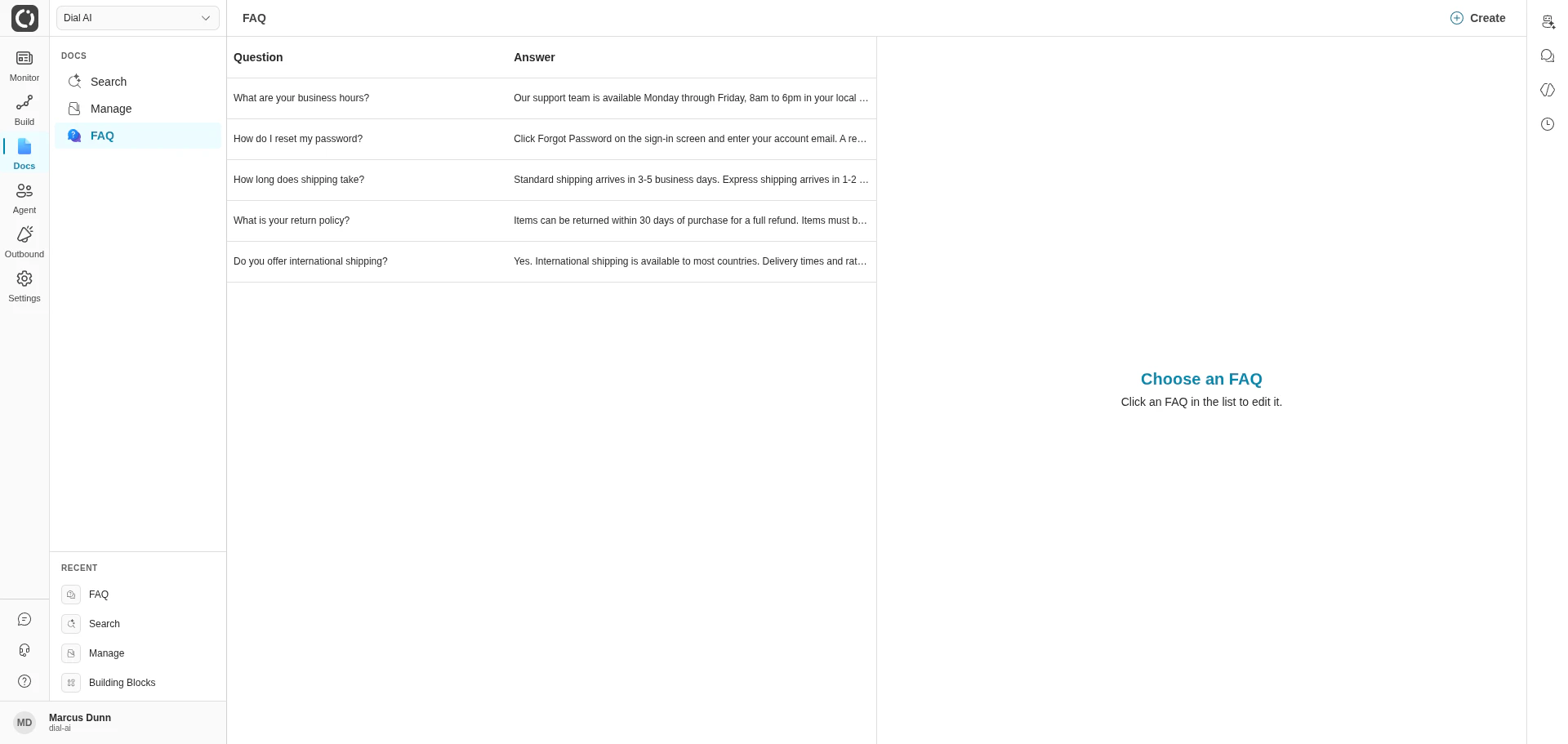
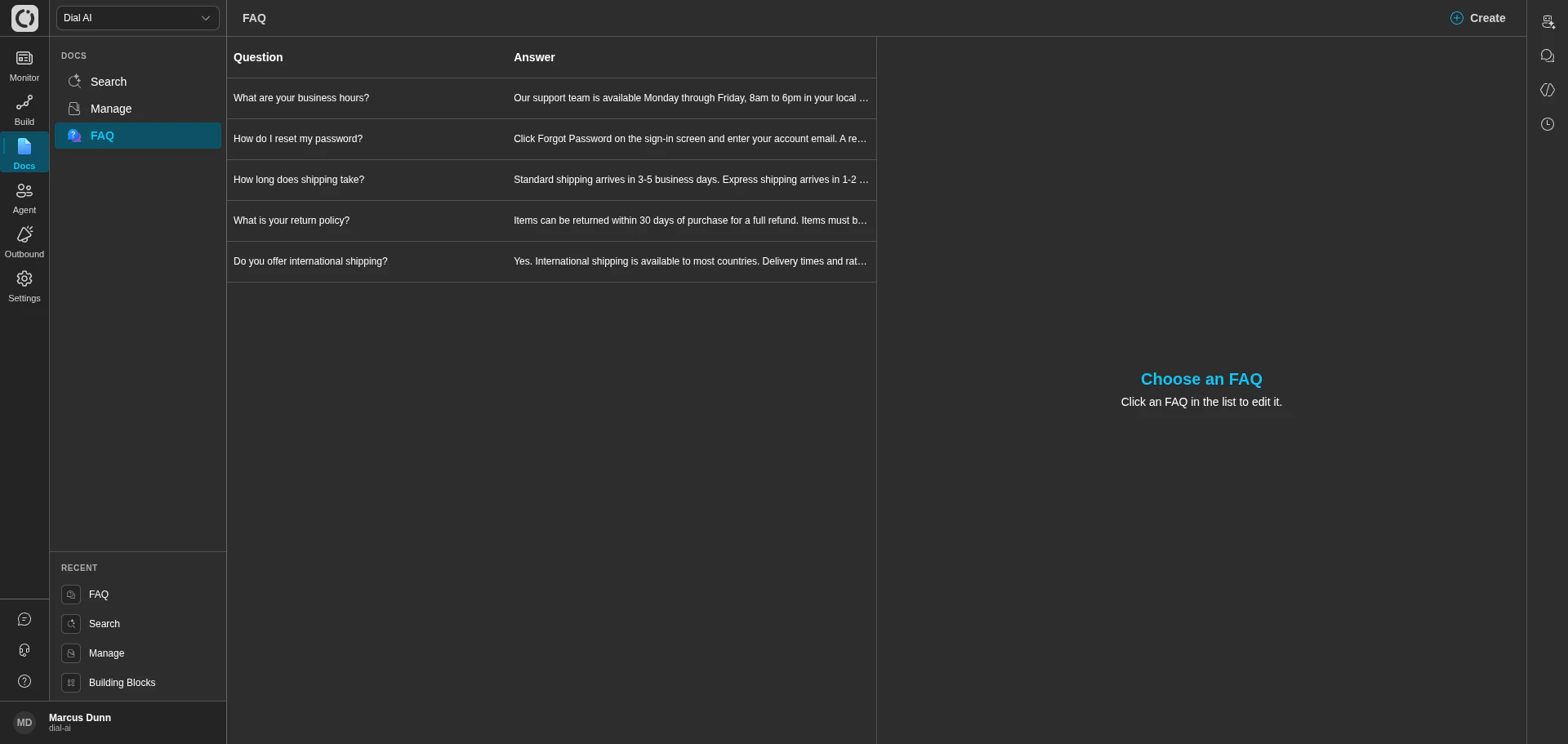
* **Left panel**: the list of every FAQ in your tenant, showing the question and answer for each. New tenants see "No FAQs found. Please create a new FAQ." until the first one is added.
* **Right panel**: the edit panel for the currently selected FAQ. When nothing's selected, it shows "Choose an FAQ — Click an FAQ in the list to edit it."
* **Create** in the top-right opens a new FAQ form.
## Creating an FAQ
Opens the new-FAQ form.
The exact phrasing matters less than the meaning — the matcher uses similarity, not literal string match. But the question should be a real question a customer would ask.
Keep it tight — 1 to 3 sentences. The agent will paraphrase the answer to fit the conversation, but giving it a short, definitive baseline keeps the responses consistent.
The FAQ appears in the list.
## Editing and deleting
* **Edit**: click any row in the list to load it into the right panel. Make changes; save.
* **Delete**: select the FAQ and use the delete action in the edit panel. Confirm.
## How FAQs reach the AI agent
FAQs are only used by flows that have at least one FAQ attached on the Documentation tab of Configure Flow — see [Flow Documentation](/flow-documentation). When a customer's message resembles an FAQ question, the matched FAQ is provided to the agent alongside any retrieved documents.
FAQs also show up in [Document Search](/document-search) results — the standalone search interface treats FAQs and documents as one combined index.
## What makes a good FAQ
* **Concrete.** "What are your business hours?" beats "Tell me about availability."
* **Definitive.** Save FAQs for things with a single right answer. Things that vary by context belong in a thought or a function, not an FAQ.
* **Short.** If the answer needs more than three sentences, it's probably a document, not an FAQ.
* **Singular.** One question per FAQ. Don't combine.
* **Currency.** Stale FAQs are worse than missing ones. Review the list whenever a policy changes.
## When to use FAQs vs documents vs thoughts
| Use | When |
| ------------ | --------------------------------------------------------------- |
| **FAQ** | Common one-line questions with a definitive answer. |
| **Document** | Reference material the customer might ask many questions about. |
| **Thought** | Process or behavior at a specific state in the flow. |
If you find yourself adding the same FAQ across many flows, the question may belong in a document instead.
***
## Related
Upload PDFs and sync from S3 / Confluence.
Attach FAQs to a flow.
Search across documents and FAQs together.
An **FAQ** is a single question / answer pair the AI agent can return verbatim when a customer asks something close to the question. FAQs complement [Documents](/manage-documents): documents are for long-form reference material, FAQs are for short, definitive answers to questions you've already seen many times.
FAQs are tenant-wide. Once configured, every flow that has FAQs enabled under [Flow Documentation](/flow-documentation) can use them.
## Accessing the FAQ page
Navigate to **Docs > FAQ** in the left sidebar.
## What's on the page
A two-pane layout:
* **Left panel**: the list of every FAQ in your tenant, showing the question and answer for each. New tenants see "No FAQs found. Please create a new FAQ." until the first one is added.
* **Right panel**: the edit panel for the currently selected FAQ. When nothing's selected, it shows "Choose an FAQ — Click an FAQ in the list to edit it."
* **Create** in the top-right opens a new FAQ form.
## Creating an FAQ
Opens the new-FAQ form.
The exact phrasing matters less than the meaning — the matcher uses similarity, not literal string match. But the question should be a real question a customer would ask.
Keep it tight — 1 to 3 sentences. The agent will paraphrase the answer to fit the conversation, but giving it a short, definitive baseline keeps the responses consistent.
The FAQ appears in the list.
## Editing and deleting
* **Edit**: click any row in the list to load it into the right panel. Make changes; save.
* **Delete**: select the FAQ and use the delete action in the edit panel. Confirm.
## How FAQs reach the AI agent
FAQs are only used by flows that have at least one FAQ attached on the Documentation tab of Configure Flow — see [Flow Documentation](/flow-documentation). When a customer's message resembles an FAQ question, the matched FAQ is provided to the agent alongside any retrieved documents.
FAQs also show up in [Document Search](/document-search) results — the standalone search interface treats FAQs and documents as one combined index.
## What makes a good FAQ
* **Concrete.** "What are your business hours?" beats "Tell me about availability."
* **Definitive.** Save FAQs for things with a single right answer. Things that vary by context belong in a thought or a function, not an FAQ.
* **Short.** If the answer needs more than three sentences, it's probably a document, not an FAQ.
* **Singular.** One question per FAQ. Don't combine.
* **Currency.** Stale FAQs are worse than missing ones. Review the list whenever a policy changes.
## When to use FAQs vs documents vs thoughts
| Use | When |
| ------------ | --------------------------------------------------------------- |
| **FAQ** | Common one-line questions with a definitive answer. |
| **Document** | Reference material the customer might ask many questions about. |
| **Thought** | Process or behavior at a specific state in the flow. |
If you find yourself adding the same FAQ across many flows, the question may belong in a document instead.
***
## Related
Upload PDFs and sync from S3 / Confluence.
Attach FAQs to a flow.
Search across documents and FAQs together.