> ## Documentation Index
> Fetch the complete documentation index at: https://docs.dialai.ca/llms.txt
> Use this file to discover all available pages before exploring further.
# Personal Configuration
> Self-service settings each user controls for their own routing, concurrency, and transfer destinations
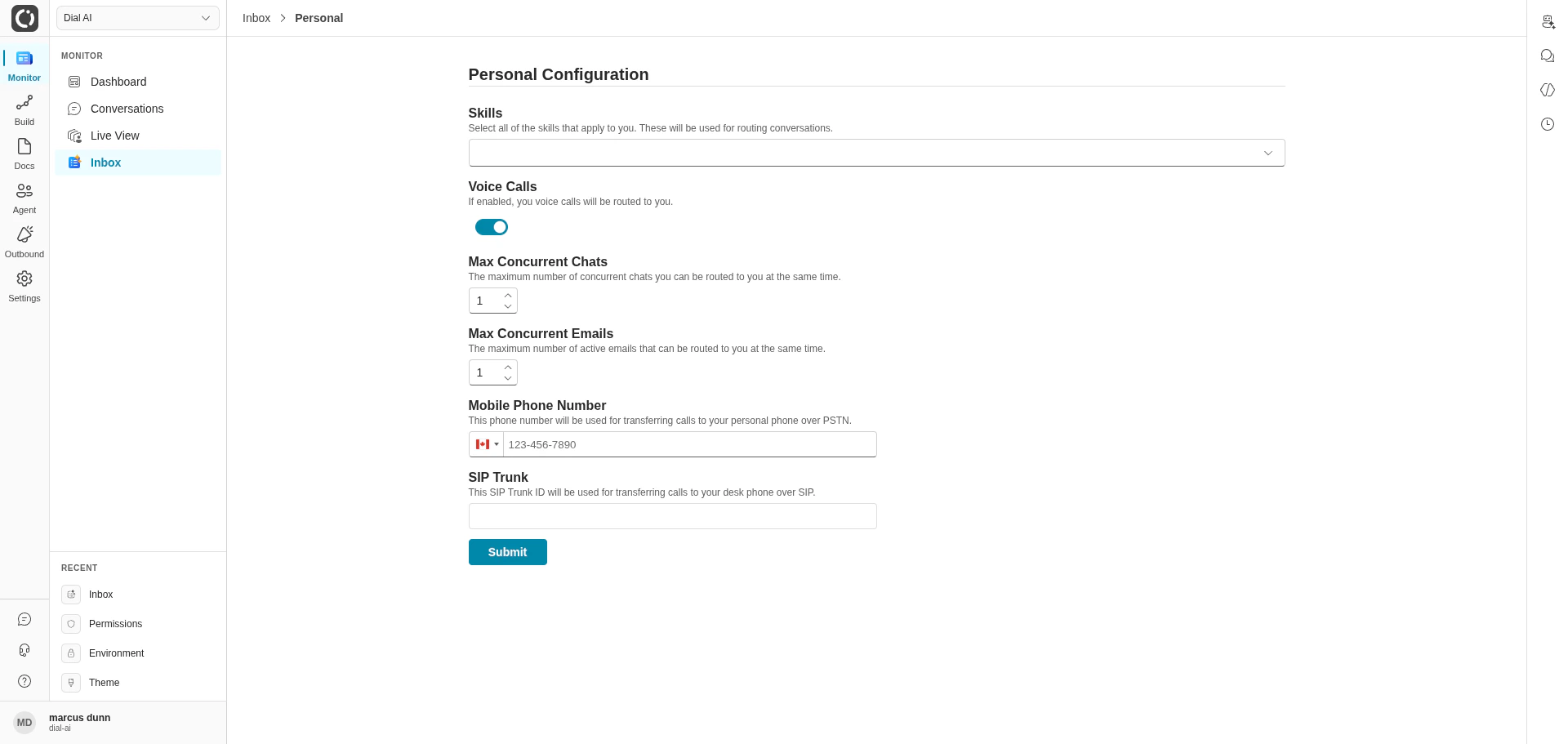
 **Personal Configuration** is the self-service page where every operator tunes how the platform routes conversations to them — their skills, their concurrency limits, and where transferred calls should land when they happen. Settings saved here take effect immediately for all new conversations.
## Accessing Personal Configuration
Navigate to **Monitor > Inbox > Personal** in the left sidebar.
## Skills
The **Skills** multi-select is how you declare what kinds of conversations you can handle. The routing engine matches every skill required by a handoff against the skills you've selected — only users whose skill set covers the request are eligible.
Start broad. Selecting **Customer Assistance** alone makes you eligible for general handoffs. Add specialized skills like **Billing** or **Spanish** only when you're confident you can handle them — narrower selections make you eligible for fewer conversations.
Skill definitions are tenant-wide and managed by admins under [Operations > Skills](/operations#skills). If a skill you need isn't in the dropdown, ask an admin to create it.
## Voice Calls
The **Voice Calls** toggle controls whether the router will send you voice conversations. Off means chat-only routing — useful when you're in a noisy environment or on a call already.
## Max Concurrent Chats
The maximum number of chat conversations the router will assign to you at once. Range 0–10.
| Scenario | Recommendation |
| ---------------------------------------- | ------------------------------------------- |
| Quiet hours, full attention available | Higher (3–5). |
| Live-calling and chatting simultaneously | Lower (1–2) so chat doesn't displace voice. |
| Trainee / first week | 1 — focus on quality before scaling. |
## Max Concurrent Emails
Same idea as Max Concurrent Chats, but for email conversations. Range 0–10. Email is typically slower than chat, so concurrency tends to be higher.
## Mobile Phone Number
Where a transferred call should reach you when you're away from your desk — PSTN destination for **Internal Contact** transfers steered at your skills. Use E.164 format (`+1 555 555 0123`); the country selector to the left of the textbox sets the dial code.
Calls only route here when a flow's Internal Contact transfer step matches a skill you've selected. The mobile number isn't used for routing customer calls directly — only for delivering transfers.
## SIP Trunk
The SIP destination for transferring calls to your desk phone or softphone. Numeric IDs and SIP URIs are both accepted.
If both Mobile Phone Number and SIP Trunk are set, the platform attempts the SIP trunk first and falls back to PSTN on failure.
## Saving
Click **Submit** at the bottom of the form. A "User Configuration Updated" toast confirms success. Changes apply to **new** sessions only — anything already routed to you keeps running with its original settings.
## Troubleshooting
| Symptom | Resolution |
| ------------------------------------------------ | --------------------------------------------------------------------------------------------------------------------------------------------------- |
| **Skill isn't in the dropdown.** | Ask an admin to create it under [Operations > Skills](/operations#skills). |
| **Transferred calls aren't reaching my mobile.** | Confirm the number is E.164, and that your carrier accepts inbound from your tenant's outbound carrier (some carriers block unfamiliar caller-IDs). |
| **The router keeps skipping me.** | Make sure your status is **Available** (top bar), Voice Calls is on if voice is being routed, and your skills cover the handoff requirements. |
| **Concurrency feels off.** | Remember Max Chats and Max Emails are separate counters — they don't share the cap. |
***
## Related
Where the skills you can select are defined.
How a flow transfers calls to a human via skill-matching.
Where the conversations the router sends you appear.
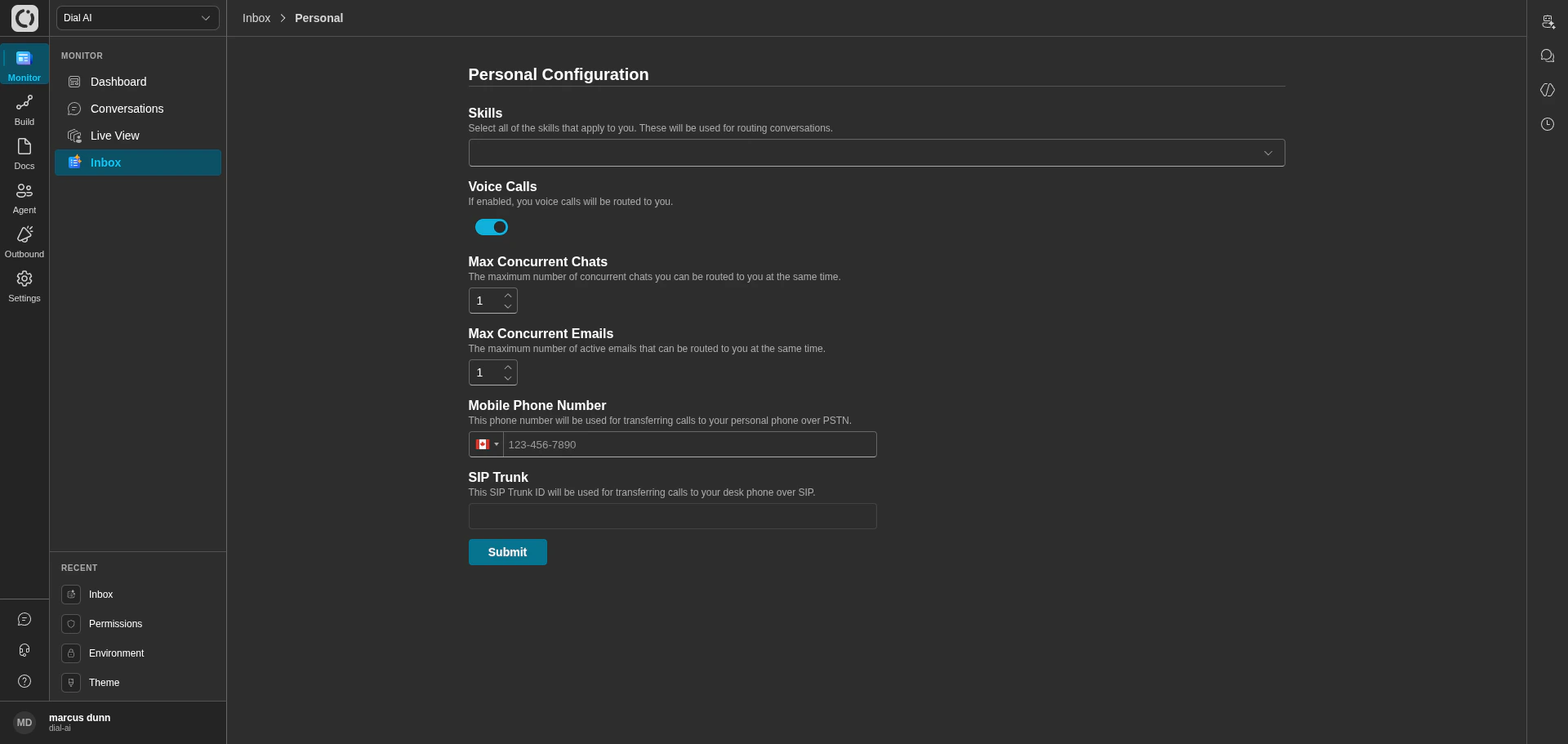
**Personal Configuration** is the self-service page where every operator tunes how the platform routes conversations to them — their skills, their concurrency limits, and where transferred calls should land when they happen. Settings saved here take effect immediately for all new conversations.
## Accessing Personal Configuration
Navigate to **Monitor > Inbox > Personal** in the left sidebar.
## Skills
The **Skills** multi-select is how you declare what kinds of conversations you can handle. The routing engine matches every skill required by a handoff against the skills you've selected — only users whose skill set covers the request are eligible.
Start broad. Selecting **Customer Assistance** alone makes you eligible for general handoffs. Add specialized skills like **Billing** or **Spanish** only when you're confident you can handle them — narrower selections make you eligible for fewer conversations.
Skill definitions are tenant-wide and managed by admins under [Operations > Skills](/operations#skills). If a skill you need isn't in the dropdown, ask an admin to create it.
## Voice Calls
The **Voice Calls** toggle controls whether the router will send you voice conversations. Off means chat-only routing — useful when you're in a noisy environment or on a call already.
## Max Concurrent Chats
The maximum number of chat conversations the router will assign to you at once. Range 0–10.
| Scenario | Recommendation |
| ---------------------------------------- | ------------------------------------------- |
| Quiet hours, full attention available | Higher (3–5). |
| Live-calling and chatting simultaneously | Lower (1–2) so chat doesn't displace voice. |
| Trainee / first week | 1 — focus on quality before scaling. |
## Max Concurrent Emails
Same idea as Max Concurrent Chats, but for email conversations. Range 0–10. Email is typically slower than chat, so concurrency tends to be higher.
## Mobile Phone Number
Where a transferred call should reach you when you're away from your desk — PSTN destination for **Internal Contact** transfers steered at your skills. Use E.164 format (`+1 555 555 0123`); the country selector to the left of the textbox sets the dial code.
Calls only route here when a flow's Internal Contact transfer step matches a skill you've selected. The mobile number isn't used for routing customer calls directly — only for delivering transfers.
## SIP Trunk
The SIP destination for transferring calls to your desk phone or softphone. Numeric IDs and SIP URIs are both accepted.
If both Mobile Phone Number and SIP Trunk are set, the platform attempts the SIP trunk first and falls back to PSTN on failure.
## Saving
Click **Submit** at the bottom of the form. A "User Configuration Updated" toast confirms success. Changes apply to **new** sessions only — anything already routed to you keeps running with its original settings.
## Troubleshooting
| Symptom | Resolution |
| ------------------------------------------------ | --------------------------------------------------------------------------------------------------------------------------------------------------- |
| **Skill isn't in the dropdown.** | Ask an admin to create it under [Operations > Skills](/operations#skills). |
| **Transferred calls aren't reaching my mobile.** | Confirm the number is E.164, and that your carrier accepts inbound from your tenant's outbound carrier (some carriers block unfamiliar caller-IDs). |
| **The router keeps skipping me.** | Make sure your status is **Available** (top bar), Voice Calls is on if voice is being routed, and your skills cover the handoff requirements. |
| **Concurrency feels off.** | Remember Max Chats and Max Emails are separate counters — they don't share the cap. |
***
## Related
Where the skills you can select are defined.
How a flow transfers calls to a human via skill-matching.
Where the conversations the router sends you appear.