> ## Documentation Index
> Fetch the complete documentation index at: https://docs.dialai.ca/llms.txt
> Use this file to discover all available pages before exploring further.
# Designing Thoughts
> Write the instructions that drive how your AI agent behaves at every state
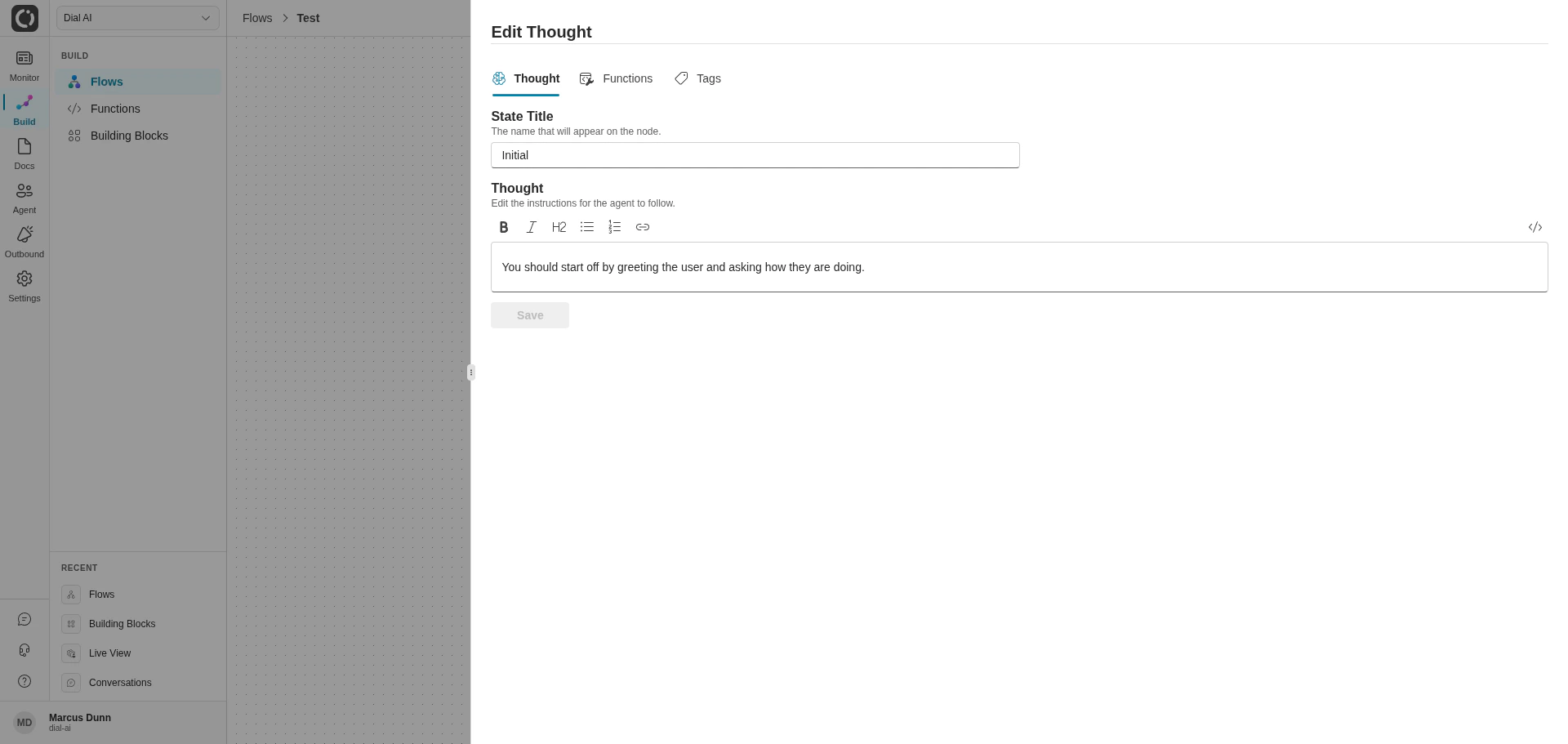
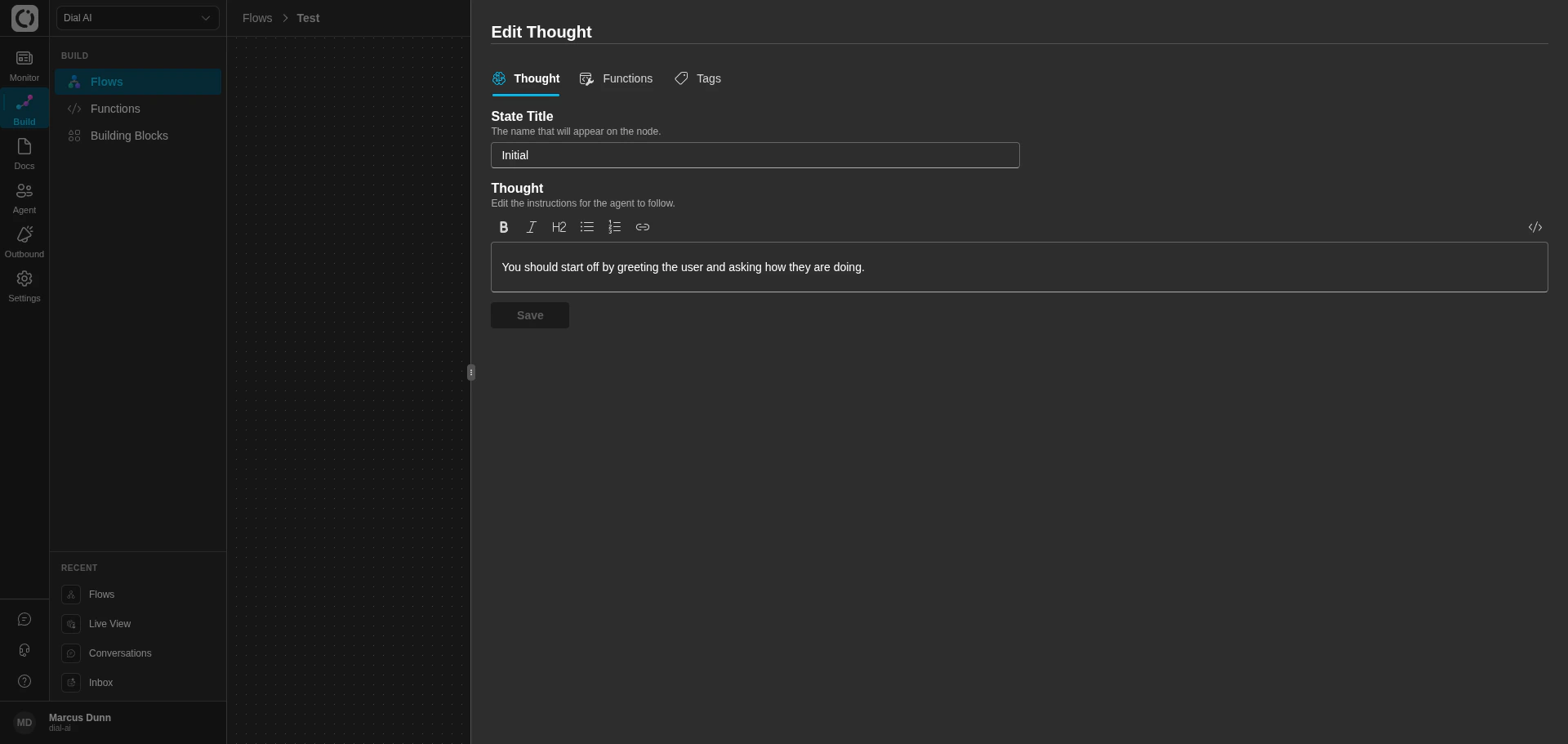 A **Thought** is the natural-language instruction attached to a state in a flow. It tells the AI agent what to do here: what to say, what data to collect, which functions to call, how to handle edge cases. Thoughts are the single biggest lever you have on agent behavior — well-written thoughts produce predictable, useful conversations; vague ones produce drift.
This page is the field guide for writing thoughts that work.
## Anatomy of a thought
Every thought benefits from the same backbone:
1. **Context.** One sentence on the agent's role at this point in the conversation. *"You are helping the customer book a meter exchange appointment."*
2. **Objective.** What the agent must accomplish before this state can transition. *"Confirm the customer's service address."*
3. **Trigger.** When this thought applies, if it's not just "always". *"If the customer provides an address that matches multiple accounts…"*
4. **Conversation moves.** Specific things to say. Quoted phrases when wording matters. *"Say: 'I've found your account. Would you like to schedule the earliest available appointment?'"*
5. **Function calls.** Which functions to call and what parameters they need. Reference functions by their exact name.
6. **Error handling.** What to do when a function fails, the customer goes off-script, or there are multiple matches.
7. **Special cases.** Anything unusual — emergency routing, accessibility accommodations, regulatory requirements.
## Voice and phrasing
**Use strong directives.** "Must" and "will" produce more reliable behavior than "should" and "can".
**Avoid telling the agent what *not* to do.** Negative instructions can backfire. Instead, describe the action you want.
> ❌ "Do not ask for the customer's name again."
>
> ✅ "After you've received the customer's name, move to confirming their account."
**Quote exact phrasing in single quotes** when the wording matters — for greetings, legally required disclosures, brand-specific language. The agent will say what's inside the quotes verbatim.
**Use placeholder variables in brackets** for values that should be filled in: `[Customer Name]`, `[Service Provider]`.
## Multi-channel branching
Voice and text conversations need different instructions. Be explicit:
```
If the customer is speaking over the phone:
Confirm the spelling of their name by asking, "How do you spell that?"
If the customer is speaking over text:
Skip the spelling confirmation and proceed to the next step.
```
For voice: spell numbers digit-by-digit, spell street names letter-by-letter, ask for confirmation. For text: trust what the customer typed and move on.
## Function references
Reference functions by their exact registered name and call out what they need:
> "Call the `Get Account By Address` function. Before calling, confirm the street number, street name, and ZIP code with the customer."
If a function emits events that drive transitions, you generally do *not* need to mention the events in the thought — the flow editor handles routing.
## Don't do math in thoughts
LLMs are unreliable at arithmetic. Put any calculation in a function, call the function, then relay the result.
> ❌ "Add the installment amount to the current balance and tell the customer the total."
>
> ✅ "Call `Calculate Total Amount` with `InstallmentAmount` and `CurrentBalance`, then relay the result to the customer."
## Avoid embedded examples
Don't put example values inside thoughts — the agent may treat them as real data.
> ❌ "Confirm the customer's address (e.g., 123 Main Street, 90210)."
>
> ✅ "Confirm the customer's street number, street name, and ZIP code."
## Reference information block
When you need the agent to know facts that don't justify a function call, list them as a reference block:
```
Use the following information to answer customer questions:
- Appointments are scheduled with a 4-hour arrival window.
- Technicians require access to the meter and may shut off power briefly.
- For other assistance, customers can call +1-800-123-4567 (weekdays 7am–7pm).
```
Keep these blocks short — the agent has a limited attention budget for general context.
## Error handling
Every state that calls a function should declare what happens when the function fails or the customer goes off-script. Be specific:
* The **statement** or **trigger** that activates the fallback.
* The exact **response** to give the customer.
* The **function** to call (or "end the conversation politely").
* The **escalation** if the function itself fails.
Worked example:
> **Customer issue:** Water leak.
>
> **Response:** "I understand there's a water leak. I'll connect you with our emergency support."
>
> **Function call:** `Transfer to Emergency`.
>
> **Escalation:** If the transfer fails, say "It seems I couldn't connect you. Please call our emergency line at \[Emergency Number] directly."
## Common pitfalls
| Symptom | Most likely cause | Fix |
| -------------------------------------- | ----------------------------------------------------------------------- | ------------------------------------------------------------------------------- |
| Agent uses phrasing you don't like | The thought describes the goal but not the exact words | Surround the wording you want with single quotes. |
| Agent keeps asking for spelling on SMS | The thought doesn't branch on channel | Add explicit "If voice / If text" instructions. |
| Agent forgets to call a function | Function isn't referenced by exact name, or isn't attached to the state | Verify the function is on this state's Functions list and reference it by name. |
| Agent gets math wrong | Calculation lives in the thought | Move the math into a function. |
| Agent leaks placeholder text | Examples in the thought | Replace examples with parameter names. |
## Thought template
A copy-paste skeleton for a typical initial state:
```text theme={null}
You are [Agent Name], an AI customer service representative for [Company Name]. You assist
customers with [purpose].
Start the conversation by introducing yourself and indicating that you are an AI assistant. Use
this greeting: 'Hi, this is [Agent Name], an AI assistant from [Company Name]. This call is
recorded for quality. How can I help today?'
You can assist with:
- [Task 1]
- [Task 2]
- [Task 3]
For anything else, transfer the customer using the `Transfer to Agent` function. If the transfer
fails, fall back to `Schedule Callback`.
Languages: You can assist customers in [supported languages]. If a customer requests another
language, inform them you can only assist in [supported languages].
If the customer mentions a safety emergency:
- Tell them their safety comes first and direct them to call 9-1-1.
- For non-immediate safety concerns (outages, gas leaks), use the `Transfer to Emergency Line`
function.
Caller ID:
- If the system returns an address, confirm it with the customer before using it.
- If not, ask the customer for their address.
Address collection rules:
- For voice calls, ask the customer to spell street names letter-by-letter.
- For text chats, accept the address as typed.
- For numerical street names (e.g., "22nd Street"), read it back without spelling each digit.
- Convert spelled-out numbers ("twenty-second street") to digits.
If at any point the customer is ready to end the conversation, confirm there is nothing else and
end politely.
```
***
## Related
What functions can do and how to declare events.
Settings that affect every state.
Validate your thoughts before publishing.
A **Thought** is the natural-language instruction attached to a state in a flow. It tells the AI agent what to do here: what to say, what data to collect, which functions to call, how to handle edge cases. Thoughts are the single biggest lever you have on agent behavior — well-written thoughts produce predictable, useful conversations; vague ones produce drift.
This page is the field guide for writing thoughts that work.
## Anatomy of a thought
Every thought benefits from the same backbone:
1. **Context.** One sentence on the agent's role at this point in the conversation. *"You are helping the customer book a meter exchange appointment."*
2. **Objective.** What the agent must accomplish before this state can transition. *"Confirm the customer's service address."*
3. **Trigger.** When this thought applies, if it's not just "always". *"If the customer provides an address that matches multiple accounts…"*
4. **Conversation moves.** Specific things to say. Quoted phrases when wording matters. *"Say: 'I've found your account. Would you like to schedule the earliest available appointment?'"*
5. **Function calls.** Which functions to call and what parameters they need. Reference functions by their exact name.
6. **Error handling.** What to do when a function fails, the customer goes off-script, or there are multiple matches.
7. **Special cases.** Anything unusual — emergency routing, accessibility accommodations, regulatory requirements.
## Voice and phrasing
**Use strong directives.** "Must" and "will" produce more reliable behavior than "should" and "can".
**Avoid telling the agent what *not* to do.** Negative instructions can backfire. Instead, describe the action you want.
> ❌ "Do not ask for the customer's name again."
>
> ✅ "After you've received the customer's name, move to confirming their account."
**Quote exact phrasing in single quotes** when the wording matters — for greetings, legally required disclosures, brand-specific language. The agent will say what's inside the quotes verbatim.
**Use placeholder variables in brackets** for values that should be filled in: `[Customer Name]`, `[Service Provider]`.
## Multi-channel branching
Voice and text conversations need different instructions. Be explicit:
```
If the customer is speaking over the phone:
Confirm the spelling of their name by asking, "How do you spell that?"
If the customer is speaking over text:
Skip the spelling confirmation and proceed to the next step.
```
For voice: spell numbers digit-by-digit, spell street names letter-by-letter, ask for confirmation. For text: trust what the customer typed and move on.
## Function references
Reference functions by their exact registered name and call out what they need:
> "Call the `Get Account By Address` function. Before calling, confirm the street number, street name, and ZIP code with the customer."
If a function emits events that drive transitions, you generally do *not* need to mention the events in the thought — the flow editor handles routing.
## Don't do math in thoughts
LLMs are unreliable at arithmetic. Put any calculation in a function, call the function, then relay the result.
> ❌ "Add the installment amount to the current balance and tell the customer the total."
>
> ✅ "Call `Calculate Total Amount` with `InstallmentAmount` and `CurrentBalance`, then relay the result to the customer."
## Avoid embedded examples
Don't put example values inside thoughts — the agent may treat them as real data.
> ❌ "Confirm the customer's address (e.g., 123 Main Street, 90210)."
>
> ✅ "Confirm the customer's street number, street name, and ZIP code."
## Reference information block
When you need the agent to know facts that don't justify a function call, list them as a reference block:
```
Use the following information to answer customer questions:
- Appointments are scheduled with a 4-hour arrival window.
- Technicians require access to the meter and may shut off power briefly.
- For other assistance, customers can call +1-800-123-4567 (weekdays 7am–7pm).
```
Keep these blocks short — the agent has a limited attention budget for general context.
## Error handling
Every state that calls a function should declare what happens when the function fails or the customer goes off-script. Be specific:
* The **statement** or **trigger** that activates the fallback.
* The exact **response** to give the customer.
* The **function** to call (or "end the conversation politely").
* The **escalation** if the function itself fails.
Worked example:
> **Customer issue:** Water leak.
>
> **Response:** "I understand there's a water leak. I'll connect you with our emergency support."
>
> **Function call:** `Transfer to Emergency`.
>
> **Escalation:** If the transfer fails, say "It seems I couldn't connect you. Please call our emergency line at \[Emergency Number] directly."
## Common pitfalls
| Symptom | Most likely cause | Fix |
| -------------------------------------- | ----------------------------------------------------------------------- | ------------------------------------------------------------------------------- |
| Agent uses phrasing you don't like | The thought describes the goal but not the exact words | Surround the wording you want with single quotes. |
| Agent keeps asking for spelling on SMS | The thought doesn't branch on channel | Add explicit "If voice / If text" instructions. |
| Agent forgets to call a function | Function isn't referenced by exact name, or isn't attached to the state | Verify the function is on this state's Functions list and reference it by name. |
| Agent gets math wrong | Calculation lives in the thought | Move the math into a function. |
| Agent leaks placeholder text | Examples in the thought | Replace examples with parameter names. |
## Thought template
A copy-paste skeleton for a typical initial state:
```text theme={null}
You are [Agent Name], an AI customer service representative for [Company Name]. You assist
customers with [purpose].
Start the conversation by introducing yourself and indicating that you are an AI assistant. Use
this greeting: 'Hi, this is [Agent Name], an AI assistant from [Company Name]. This call is
recorded for quality. How can I help today?'
You can assist with:
- [Task 1]
- [Task 2]
- [Task 3]
For anything else, transfer the customer using the `Transfer to Agent` function. If the transfer
fails, fall back to `Schedule Callback`.
Languages: You can assist customers in [supported languages]. If a customer requests another
language, inform them you can only assist in [supported languages].
If the customer mentions a safety emergency:
- Tell them their safety comes first and direct them to call 9-1-1.
- For non-immediate safety concerns (outages, gas leaks), use the `Transfer to Emergency Line`
function.
Caller ID:
- If the system returns an address, confirm it with the customer before using it.
- If not, ask the customer for their address.
Address collection rules:
- For voice calls, ask the customer to spell street names letter-by-letter.
- For text chats, accept the address as typed.
- For numerical street names (e.g., "22nd Street"), read it back without spelling each digit.
- Convert spelled-out numbers ("twenty-second street") to digits.
If at any point the customer is ready to end the conversation, confirm there is nothing else and
end politely.
```
***
## Related
What functions can do and how to declare events.
Settings that affect every state.
Validate your thoughts before publishing.