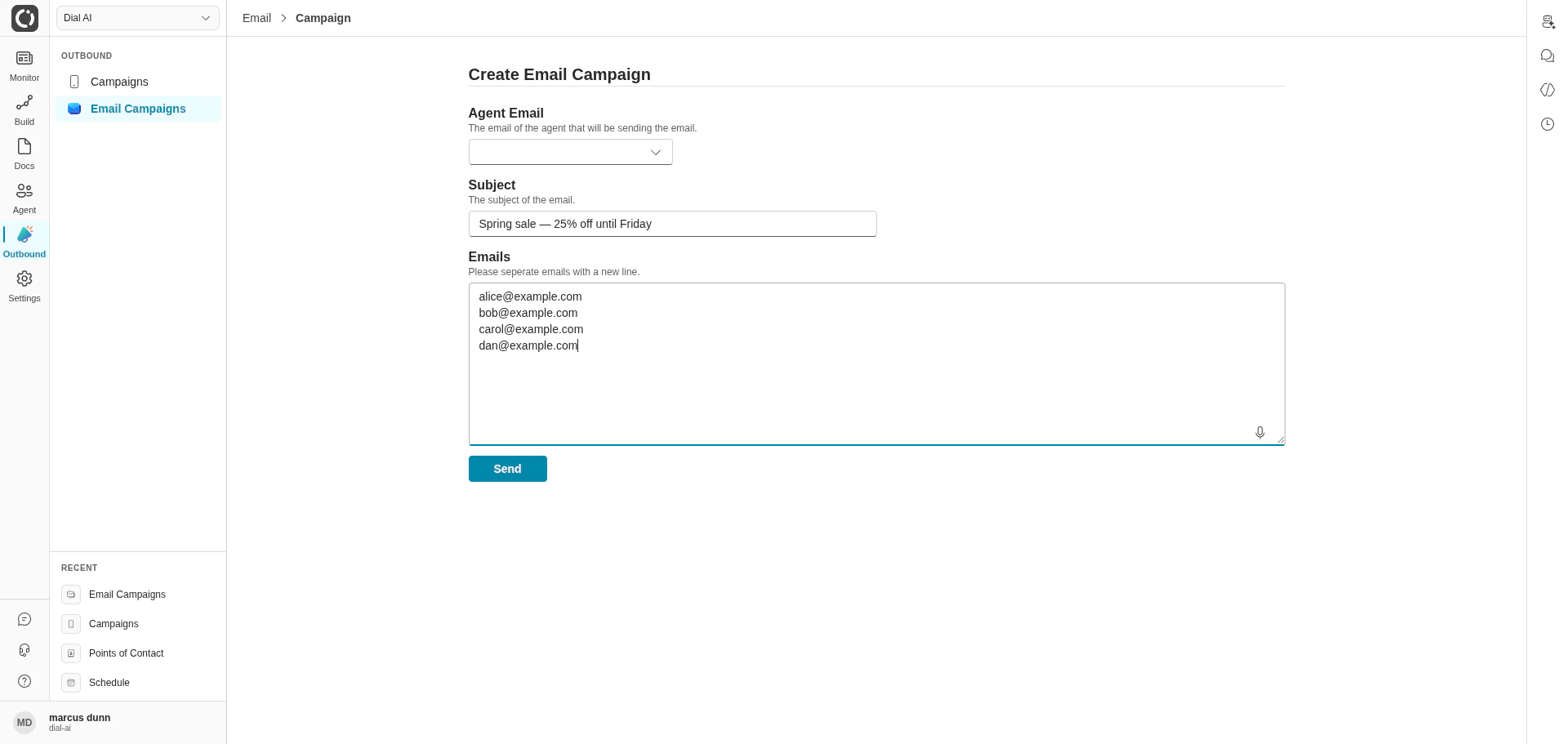
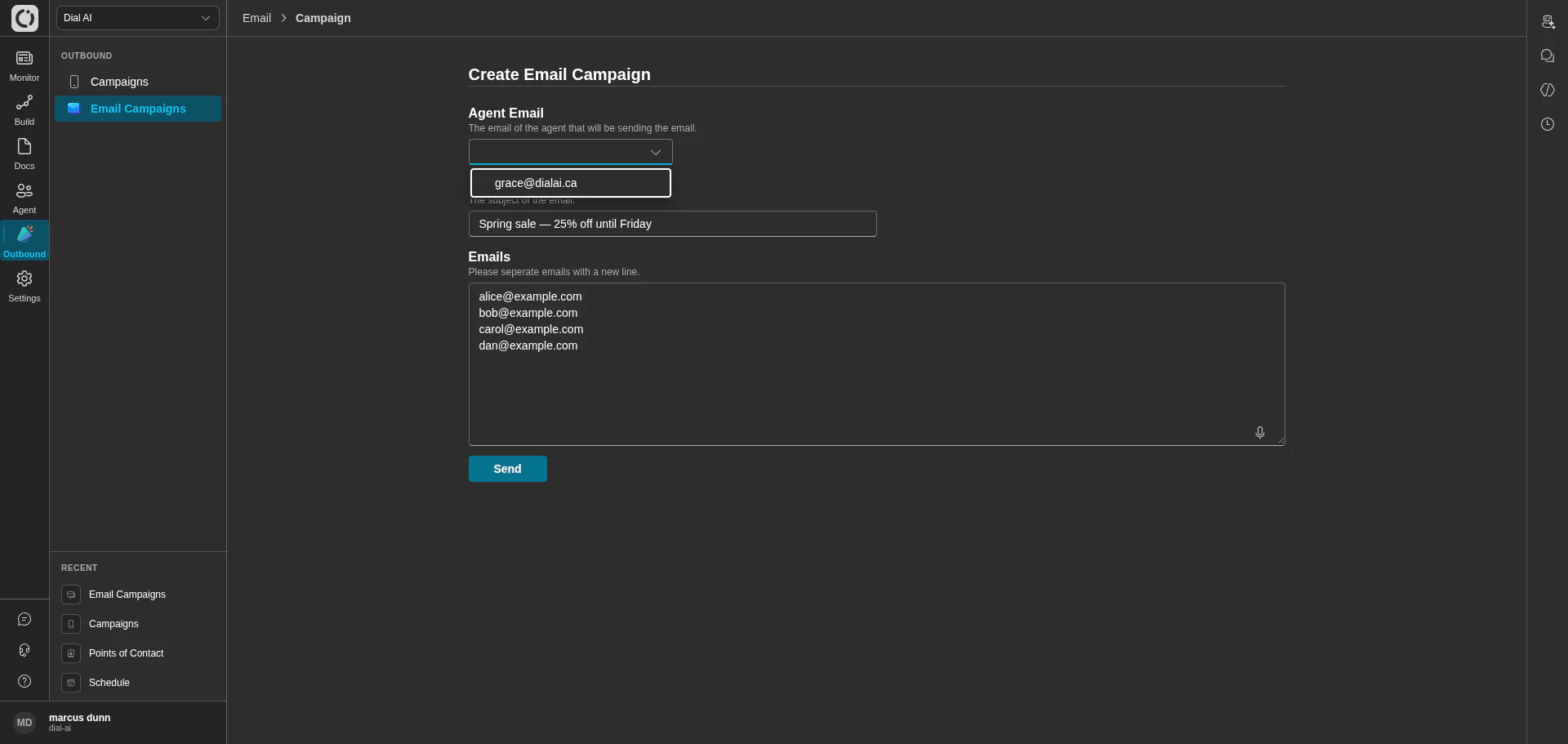
Create Email Campaign — the populated send form
Accessing Email Campaigns
Navigate to Outbound > Email Campaigns in the left sidebar.What’s on the page
The campaigns table shows every email campaign in the tenant.
Create in the top-right opens the campaign-creation form.
Creating a campaign
1
Click Create
Opens the Create Email Campaign form.
2
Pick the Agent Email
The dropdown lists every Email Point of Contact configured for your tenant. The chosen address is the From for the campaign. Configure email POCs under Points of Contact > Email first if the dropdown is empty.
3
Enter a Subject
The email subject line. Customers see this in their inbox preview, so make it specific and recognizable.
4
Enter the recipients
Paste one email address per line into the Emails field. The campaign sends a separate, agent-drafted email to each recipient — recipients don’t see each other.
5
Click Send
The campaign appears in the table with a Pending status. Each recipient’s send transitions to Sent on success or Failed if delivery doesn’t go through.
The body of each email is composed by the AI agent using your flow’s instructions — the campaign form sets the subject and recipient list; the body is generated per recipient. To control body content, edit the flow attached to the sending Email POC.
How Email Campaigns relate to Email POCs
An Email Point of Contact is the configuredFrom: address — it has Microsoft 365 / SendGrid wiring and a flow attached. An Email Campaign is a one-shot batch send through that POC to a recipient list. The POC’s flow drafts each message; the campaign just provides the recipients and subject line.
This means inbound replies to a campaign land back in the same Email POC’s flow — so make sure that flow is configured to handle both initial-send and inbound-reply contexts.
Multi-channel outreach
Pair email campaigns with voice campaigns:- Email first, voice follow-up — send an opt-in email, then call the recipients who clicked through. Use the customer-journey data on each contact to coordinate.
- Voice first, email follow-up — for important calls, send an email summary the next day so the customer has a record.
Best practices
- Clear subject lines. The subject is the only thing the customer reads before opening — make it concrete (“Your March invoice is ready” beats “An update”).
- Test on a single recipient first. Add one test address before launching a large campaign so you can verify the agent’s tone and links.
- Keep recipient lists scoped. Send focused campaigns to relevant segments rather than blasting your whole list — better deliverability, fewer unsubscribes.
- Watch the Status column. Many recipients stuck in Pending longer than expected usually means the sending POC’s auth has expired — run a Health Check on the Email POC.
- Respect compliance rules. Email marketing regulations vary by jurisdiction. The platform doesn’t enforce CAN-SPAM / GDPR / CASL for you — that responsibility is yours.
Use cases
Related
Outbound voice campaigns
Voice version of the same idea.
Email POC
Configure the sending address.
Flow documentation
Attach knowledge the agent uses to draft each email.